A tour of Munwyn
The tour, step by step
Eighteen screens from the live app, in the order you meet them. No renders — this is what Munwyn actually looks like. Click a screenshot to enlarge it.
Start from what you already have
Import from Evernote (.enex), Notion (.zip) or plain Markdown and text. Nothing is deleted or rewritten — thoughts are simply added, with their original dates. If your notes live somewhere else, Munwyn hands you a prompt to convert them to Markdown yourself.

Capture from anywhere
⌘K opens New thought from anywhere in the app. Write, speak, snap a photo or paste a link — the type figures itself out. Voice is transcribed, images can be pasted from the clipboard. Pick the area yourself, or leave it to the AI.

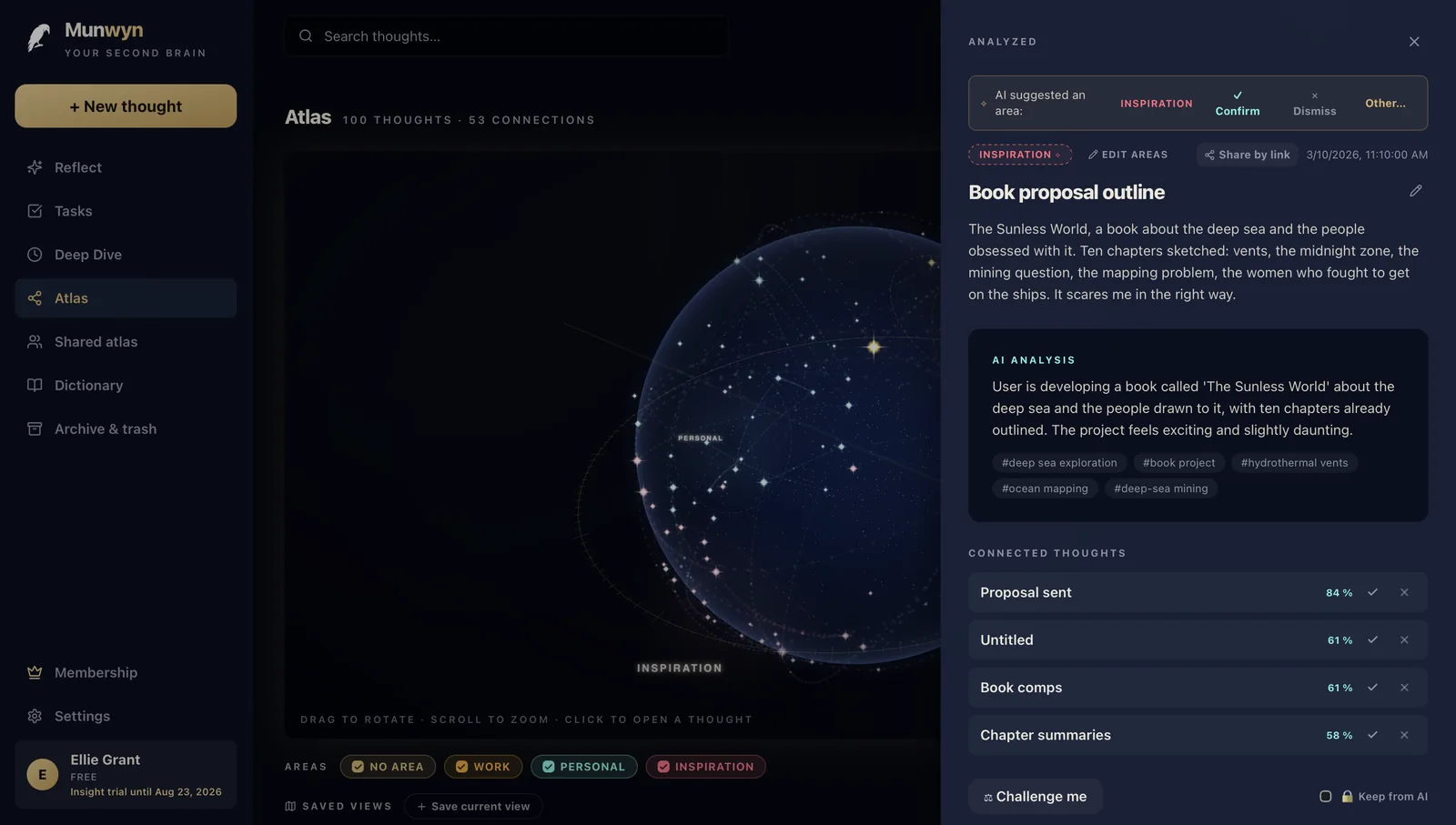
Thought detail
The AI summarises the thought, proposes an area and finds links to what you already have — each link comes with a percentage and confirm/dismiss buttons, so you decide. Bottom right is the “Keep from AI” switch: a marked thought is never sent to the model.
Personal dictionary
Proper names, projects and abbreviations that voice transcription should get right. The dictionary is its own item in the sidebar and can fix past mistakes — if a name was transcribed wrong, you correct it everywhere at once.

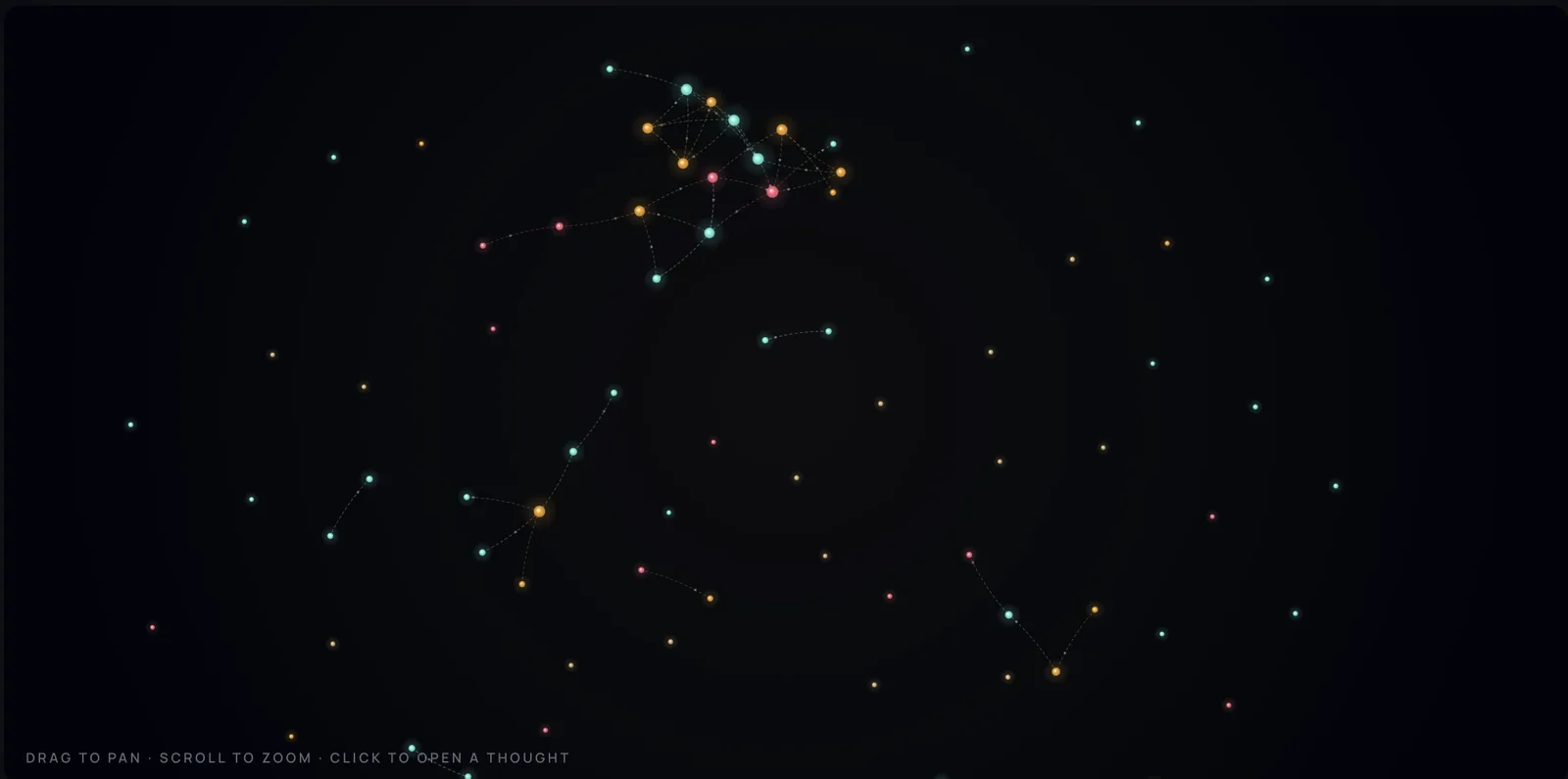
The 2D map — a dendrite
A branching tree of thoughts with wedges by area. Every account gets the flat map for free, with no limit on the number of thoughts.
The 3D atlas — Living constellation
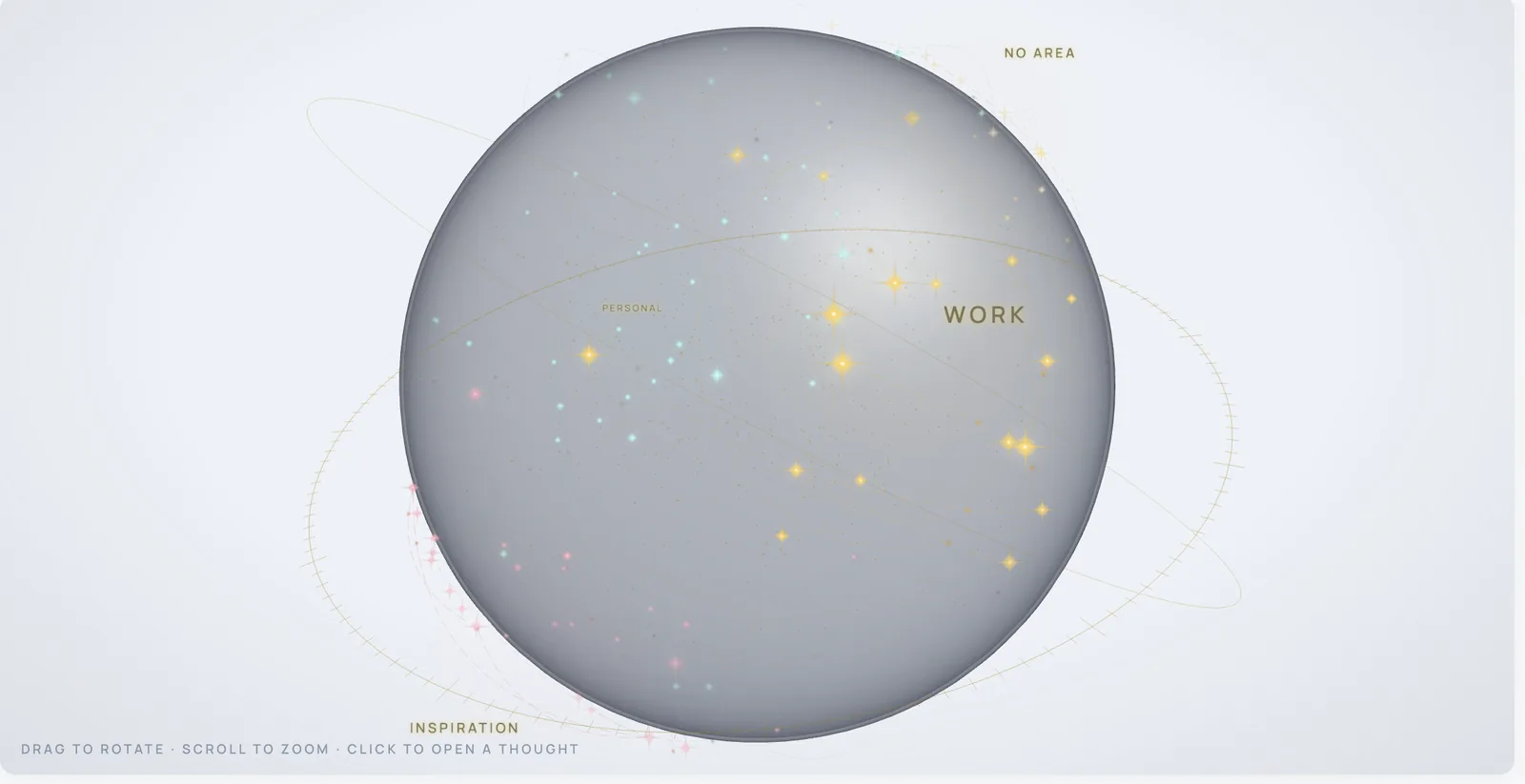
Every thought is a star, areas form constellations and connections are the threads between them. Click a thought and a wave runs along its links. The full 3D atlas has six styles and is part of Munwyn Insight.

Light mode
The same atlas in the light theme — for daylight, a projector or a screenshot. It follows the theme of the whole app.
The Sunday letter and archive growth
The Today screen: today’s five unprocessed thoughts, a chart of how your archive grows by area, and the Sunday letter — a summary of the week that also arrives by e-mail on Sunday evening. The letter links to the thoughts it talks about.

Insights
What Munwyn found across everything you have stored: what kind of thinker you are, recurring patterns, and returns — older thoughts worth coming back to. Every AI-written text is marked as such.

Challenge me
Ask Munwyn to argue against your own thought. It writes a counter-argument to what you wrote yourself — not to be right, but so you look at it once more.

Tasks from thoughts
“Call mum” inside a thought becomes a task on its own — with a deadline, a daily digest and a checkbox. Tasks stay linked to the thought they came from.

Ask your thoughts
You ask naturally: “what did I think about that interview?” The answer is built only from your own thoughts, and each claim shows which thought it came from — so you can check it. The answer can be opened in the atlas too.

Thoughts
The list of everything you have stored, with Active · Archive · Trash chips and filters by time of day — morning, evening, weekend. The list on the left, the detail right beside it.

Archive and trash
Nothing gets lost. Both the archive and the trash have a Restore button — and if you cancel your subscription, your thoughts stay; only Insight features go dormant.

Meetings — Munin Personal
A recording or a transcript of a meeting turns into a summary, minutes and proposed thoughts. Nothing is saved until a person ticks it.

Wrapped — your year
A yearly look back at what went through your head. How many thoughts, which seasons, what you spent the most time on.

Privacy and AI
Privacy choices in one place: the per-thought “Keep from AI” switch, turning the cloud off and attaching your own key. The website carries no tracking cookies.

AI operations log
A list of what the AI did — when, which operation and on which thought. Auditable after the fact, filterable by operation type and period.

And the same in your pocket
iOS and Android are finished at version 4.0 — the same screens, the same data, just smaller. The test build is available on request from inside the app.


And the company space?
Munwyn Council is the company layer of Munwyn — its own tour, its own screenshots, its own pricing. Your private mind stays yours.

You have seen inside. Come in.
Munwyn is open — request access and we’ll get back to you by e-mail, usually within days. While Munwyn is in testing, every new account has everything in Munwyn Insight, free and with no card.
✦ Request access